
ReasoningCampus · SHL Candidate Guides
SHL proctoring means supervision of an assessment, with requirements that depend on the assigned session. ReasoningCampus offers independent SHL preparation, including practical guidance on permitted aids, monitoring and session rules. This lesson helps you check your invitation, prepare an allowed workspace and know how to ask for help if something goes wrong.
Independent learning resource · English · Content revised 16 October 2026
View full preparationSHL proctoring: separate study help from permitted assistance
In this ReasoningCampus preparation lesson, we separate learning from assessment conditions. During study, explanations and feedback are useful. During an actual assessment, the organiser’s rules determine permitted help. Rehearsing those conditions in advance is more useful than trying to predict whether a particular click, pause or movement will trigger an alert.
Permitted aids and session rules: what to confirm
| Area | Question to settle beforehand |
|---|---|
| Resources | Are notes, scratch paper or a calculator permitted? |
| Software | Which applications must be closed? |
| Identity and camera | What setup and identification steps are required? |
| Support | How should I report an interruption or technical problem? |
| Access arrangements | Has an agreed adjustment been enabled for this session? |
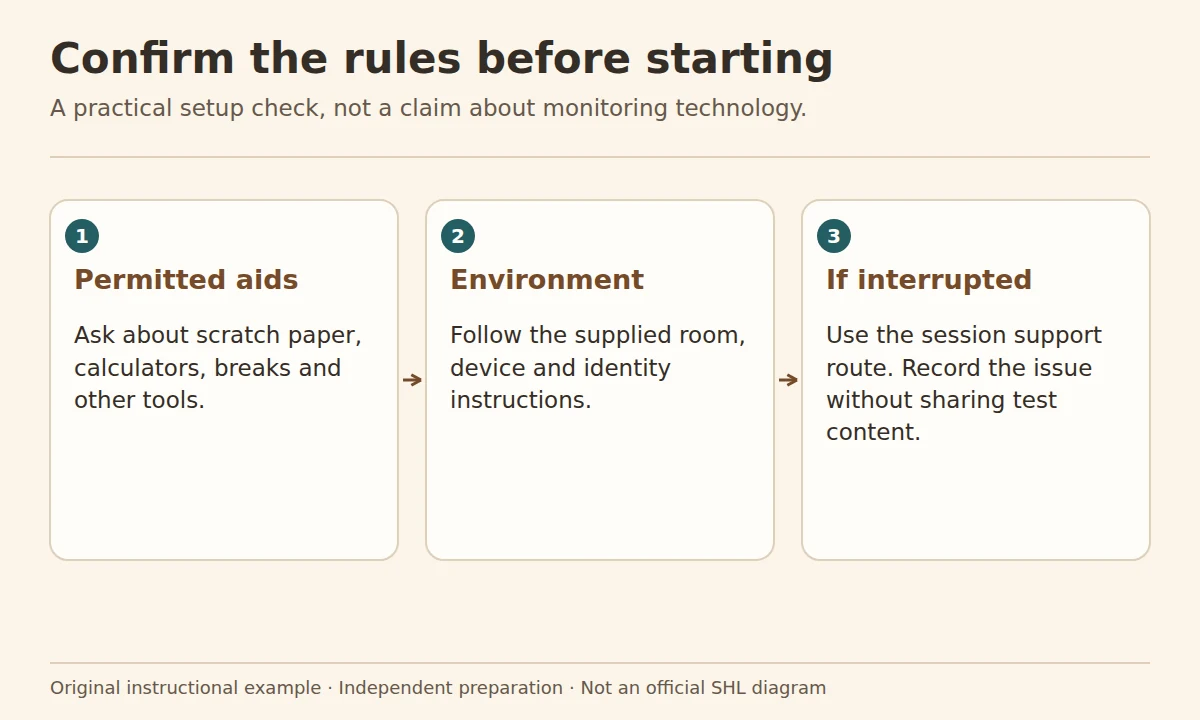
Check the permitted aids against your invitation: a calculator used during practice may not be allowed in the actual assessment. The session rules also determine whether notes, extra screens or other applications can remain available. If an instruction is unclear, ask the organiser before starting and keep the written clarification.
Monitoring: what online detection claims cannot tell you
Online claims about what monitoring software detects are often too vague to guide a real session. A click, pause or tab switch cannot be interpreted reliably without the assessment’s actual rules and configuration. Check which monitoring requirements your invitation describes, including any camera, identity or software checks. If the monitoring setup conflicts with an agreed access arrangement, ask for support before starting. Follow the instructions rather than experimenting with the software during the test.
Session rules for interruptions and support
Imagine a system notification appears while you are reading a question. Your first priority is to follow the session instructions. If an interruption affects your ability to continue, use the designated support route. Record the time and a concise description if doing so is permitted. Do not capture or share confidential test items as “evidence”. A useful report says what failed and when, without reproducing the assessment content.
Before the test, you can reduce avoidable interruptions by arranging a suitable space and checking notification settings where allowed. These are readiness measures, not guarantees that no interruption will occur.
AI tools: useful for study, subject to rules in a live assessment
You can use an AI tool to generate original practice questions, request another explanation or check a calculation during preparation. You still need to verify its answer. Do not upload a live assessment item or use generated answers during an assessment unless that help is expressly permitted. The distinction is about the rules of the task, not whether assistance is detectable.
Permitted aids: two different calculator policies
The platform-specific SHL support page gives different calculator instructions for different assessment flows. Its TalentCentral guidance allows a calculator for numerical or calculation tests unless instructed otherwise; its AMCAT guidance refers to an embedded calculator and excludes external calculating devices. A single rule copied across platforms would lose that distinction.
For your readiness check, write down the rule that belongs to the assigned session. “I used this aid while studying” is not evidence that it is permitted during the assessment.
Questions about SHL proctoring
Does every SHL assessment record video?
Do not assume that. Read the requirements for your particular session; the brand or platform name alone does not establish the monitoring configuration.
Can I use ChatGPT while taking a test?
Only if the assessment explicitly permits that assistance. Use AI for learning beforehand and check any generated answers; do not treat a preparation tool as permission to use it in a live assessment.
Should I intentionally answer more slowly to avoid a flag?
Do not base your pace on an invented detection threshold. Work carefully, follow the rules and use the time available according to the task instructions.
Sources and scope
- SHL Candidate Support: platform-specific assessment, calculator and reset guidance
- SHL Smart Interview Professional: product-specific support and proctoring
Use the official candidate guidance below alongside the rules for your own session. The preparation examples explain how to organise permitted study and support; they do not describe a universal monitoring configuration.
Where to go next
Check device readiness and any access arrangement first. Keep AI-assisted study separate from the rules of a live assessment.
