
ReasoningCampus · SHL Study Skills
SHL test time management means locating the step that costs you time without abandoning accuracy. Calculate an average budget for your own practice set, distinguish that average from an item limit and check the navigation rules before planning to skip or revisit questions. ReasoningCampus teaches pacing through timed original practice and a review of where unfinished questions begin to accumulate.
Independent learning resource · English · Content revised 16 October 2026
View full preparationSHL test time management: locate the real bottleneck
At ReasoningCampus, we separate reading time, reasoning time and response checking during review. You do not need to monitor those stages continuously during a test. Instead, use a few practice questions to discover where time goes. Improve the repeated bottleneck before trying to accelerate every step at once.
Pacing: use an average without treating it as an item limit
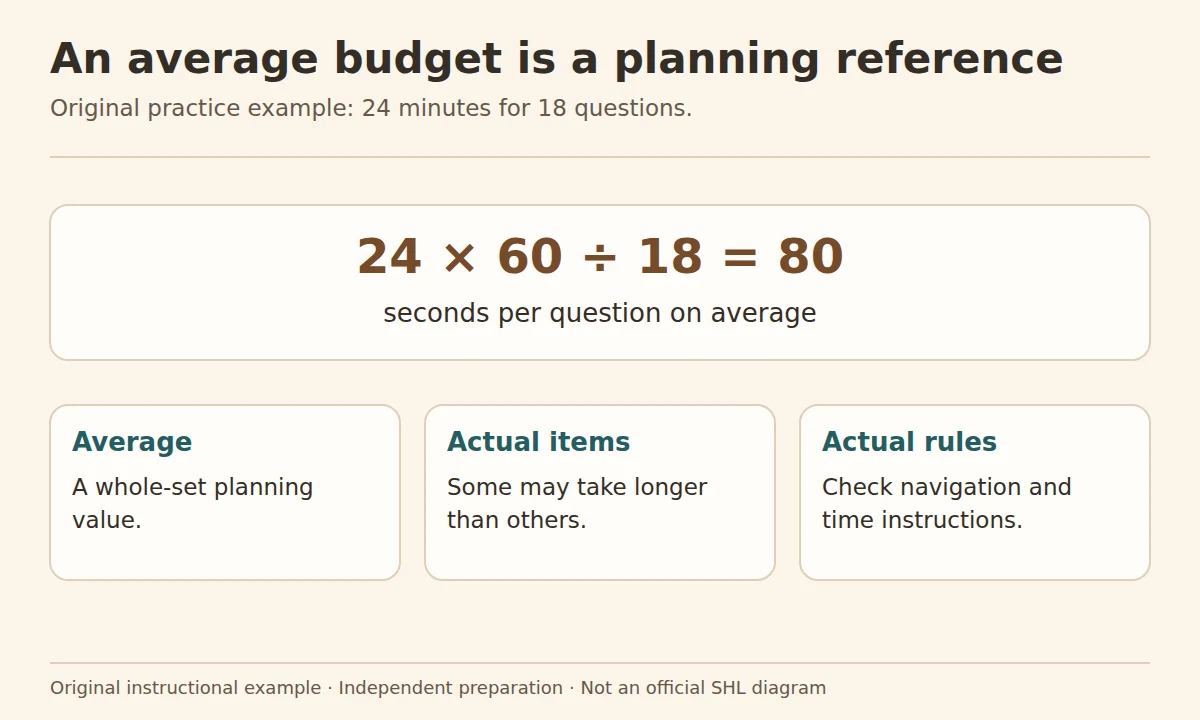
Average practice budget in seconds = available minutes × 60 ÷ number of questions
For 18 questions in 24 minutes, the simple average is 24 × 60 ÷ 18 = 80 seconds. This is a planning average, not a rule that each question deserves exactly 80 seconds. Questions differ in difficulty, and session rules may not allow you to skip or return. Use the calculator below only for sets with a known question count.
| Pattern in your practice | Possible next step |
|---|---|
| High accuracy, low completion | Find repeated reading or calculation delays |
| High completion, low accuracy | Slow the decisive step and review the error type |
| Errors only after a difficult item | Practise resetting your approach |
| Correct calculation, wrong entry | Add a short response-state check |
Unfinished questions: check the skipping and guessing rules
Before choosing a skipping strategy, establish whether unanswered questions can be revisited and how responses are handled. Before deciding about guesses, read any supplied marking guidance. Check the rules for your assigned test rather than relying on a generic claim that wrong answers are never penalised. A pacing plan should reflect those rules and the time available.
An example of changing the right stage
Suppose you take 90 seconds on a table question: 40 finding the correct row, 35 calculating and 15 checking. If you repeatedly read irrelevant columns, practising the formula faster may have little effect. Write the requested quantity first, find only the necessary labels and check that the periods match. On a fresh question, compare whether the same selection error returns. This is a personal practice observation, not a promised time saving.
Use a flexible review target
After a set, record attempted, correct and total questions. Add one note explaining the largest time loss. A useful target for the next session might be “identify the denominator before using the calculator”, not “answer everything in 40 seconds”. If a timed drill prevents you from understanding the method, return to untimed work and rebuild accuracy.
Try the original practice tool
Use this for a practice set with a known question count. Follow the actual assessment rules for navigation and time.
The time-budget formulas and examples remain readable without JavaScript. When enabled, the pacing calculator processes your practice numbers locally in your browser.
Do not substitute Time Needed for Time Limit
SHL’s explanation of timing labels distinguishes an overall estimate, which may include preparation and examples, from a limit on a timed activity. Use the actual timed section’s instructions when you enter minutes into a pacing calculation.
A separate SHL support explanation describes an adaptive flow in which submitted questions cannot be revisited. That is why “skip now and return later” cannot be a universal strategy. When using an original practice set here, its stated navigation rules apply only to that practice.
Questions about SHL test time management
Is it always better to guess than leave a blank?
That depends on the rules and scoring information for the assessment. This lesson does not supply a universal SHL marking policy.
Does a slow answer count less?
Elapsed time alone does not tell you how an answer is scored. Use any scoring explanation supplied for your assessment and focus on reaching a correct response within its time rules.
Can the time-budget tool predict whether I will finish?
No. It computes a simple average from your chosen practice inputs. Actual completion depends on the tasks, your work and the session rules.
Sources and scope
- SHL Candidate Support: Time Needed versus Time Limit
- SHL Candidate Support: returning to earlier questions in the described adaptive flow
- SHL Candidate Support: platform-specific assessment, calculator and reset guidance
The linked candidate guidance concerns assessment instructions and timing. The pacing tool divides a practice time budget; it does not reveal an official scoring rule or recommend a universal seconds-per-question target.
Where to go next
Record accuracy and completion separately, adjust the study plan and check the access guide if a technical incident affected your session.
